How to use AI for invoicing is the question every UK tradesman is asking in 2026, and the answer is simpler than you think.
You are doing the work, sending the invoice, then spending three weeks chasing the money — and that chasing is where the real cost hides.
Watch the video tutorial below, then I will show you the exact setup we use.
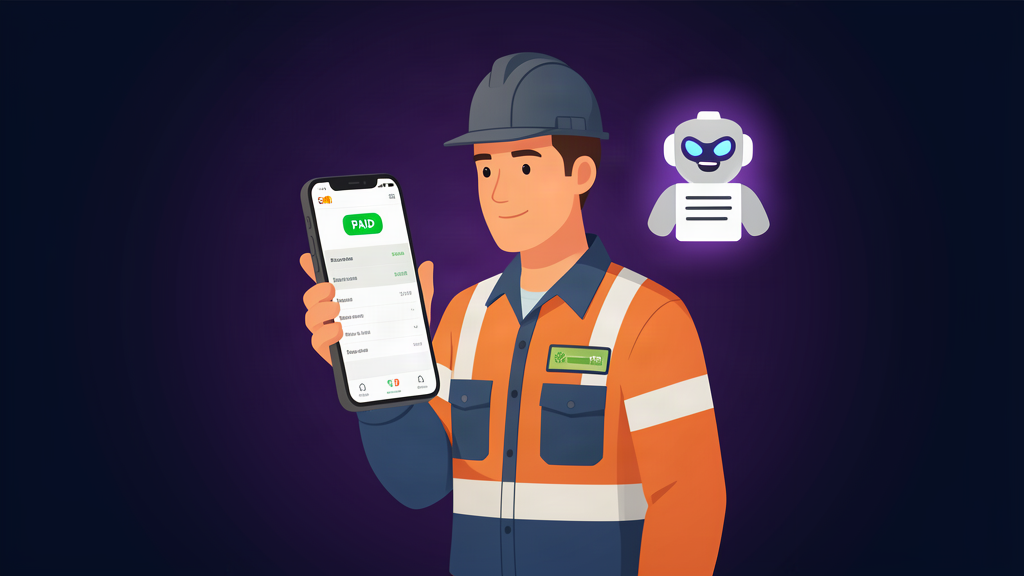
The numbers are brutal.
UK businesses are owed an estimated £26 billion in late payments at any one time, which works out at roughly £17,000 per affected business, according to the Small Business Commissioner.
That is not a cash flow problem.
That is you funding your customers' businesses for free.
How to use AI for invoicing properly fixes that — and it takes one afternoon to set up.
How To Use AI For Invoicing — Table Of Contents
- How To Use AI For Invoicing — Why Invoices Die In The Payment Queue
- How To Use AI For Invoicing — The 4-Part Setup That Works
- How To Use AI For Invoicing — The Automated Chasing Sequence
- How To Use AI For Invoicing — The Tools UK Tradesmen Actually Use
- How To Use AI For Invoicing — 5 Mistakes That Cost You Money
- How To Use AI For Invoicing — FAQ
How To Use AI For Invoicing — Why Invoices Die In The Payment Queue
Late payment is not a niche problem.
A Coface UK Payment Survey found that 90% of UK companies experienced late payments in 2025, with the average delay hitting 32 days.
Ninety percent.
That means the customer who pays you late is not the exception.
The customer who pays you late is the norm.
The GOV.UK late payments research shows business customers most commonly pay 30 days after the invoice date — 31% of payments — with payment within 7 days coming second.
So the people who owe you money have already decided, in advance, that a month is fine.
The QuickBooks 2025 Late Payments Report found 47% of businesses had invoices overdue by more than 30 days, with nearly 1 in 10 invoices late.
And here is the kicker.
Most tradesmen send the invoice and then wait.
They feel awkward asking for money they are owed.
So the invoice sits there, politely ignored, while the customer's payment run happens without them.
How to use AI for invoicing removes the awkwardness entirely.
The machine does the chasing, so you never feel like a nuisance.
You stay professional, consistent and a little bit relentless — and that is exactly what gets invoices paid.
Real talk from our own build: we run 20+ cron jobs across our own business, and the invoice and follow-up automation is the one that pays for itself first.
We fired off 289 automated emails in a single outreach campaign from 8 agents working the pipeline.
That is the difference between hoping to get paid and engineering getting paid.
How To Use AI For Invoicing — The 4-Part Setup That Works
Here is the honest version of how to use AI for invoicing.
You do not need to build a robot.
You do not need to learn to code.
You need four pieces, and each one takes minutes to connect:
- Generate: AI turns your quote or job notes into a clean, itemised invoice in your voice — no template wrestling.
- Send: the invoice goes out automatically the moment the job is marked done.
- Chase: an AI agent follows up on a schedule until the money lands.
- Reconcile: payment notifications update your records, so your books stay right without you touching them.
That is the whole system.
Generate, send, chase, reconcile.
Most tradesmen only automate the first two and wonder why nothing changes.
How to use AI for invoicing the right way means automating the chase — because that is where the £17,000 sits.
Think about what one hour of chasing is worth to you.
If you bill £60 an hour for your trade, every hour spent writing "friendly reminder" emails is an hour you are not earning.
An AI invoice agent does that work for roughly the cost of one job a month.
You can see exactly what that costs on our pricing page.
The Setup Order That Avoids Regret
Start with the tool you already use.
If you are on Xero or QuickBooks, both have built-in invoice reminders that fire automatically.
Turn those on first — it is free and it takes ten minutes.
Then add the AI layer on top.
The AI layer is what reads the payment status, decides who needs chasing, and writes a message that does not sound like a template.
That is the part most people skip, and it is the part that actually gets you paid.
If you want the whole thing done for you rather than doing it yourself, we build these agents for UK trade businesses — see what is on the shelf at our store.
How To Use AI For Invoicing — The Automated Chasing Sequence
The chasing sequence is where AI earns its keep.
Here is the exact schedule we use and recommend:
Day 0 — the invoice goes out the moment the job finishes.
Speed of issue is the single biggest lever on payment speed.
An invoice sent while the work is still fresh in the customer's mind gets paid faster than one sent a week later.
Day 7 — the first nudge, only if unpaid.
The AI checks the payment status automatically.
If the money has landed, no message goes out.
If it has not, a friendly reminder arrives: "Just checking in on invoice 0142."
Day 14 — the polite escalation.
Now the tone shifts slightly.
The AI mentions the payment terms, restates the amount, and offers the customer a quick way to pay or a call to sort any issue.
This is where most late invoices quietly get resolved.
Day 30 — the firm one.
The AI references the overdue balance, reminds them of the statutory interest they now owe under UK late payment rules, and flags that the account is being reviewed.
You stay completely hands-off the whole time.
No awkwardness, no resentment, no burned bridges.
And if a customer genuinely cannot pay, the AI routes that conversation to you so you can make the call like a human.
Why this beats doing it yourself: consistency.
You will forget day 7.
You will talk yourself out of day 14.
You will definitely skip day 30 because it feels rude.
An AI agent has no ego and no embarrassment.
It just follows the sequence, every single time, on every single invoice.
That is the real answer to how to use AI for invoicing — not a fancier invoice, but a machine that never lets an invoice go quiet.
We cover the same follow-up logic in more depth on our automate client follow-up guide, and the wider picture on automating a small business.
How To Use AI For Invoicing — The Tools UK Tradesmen Actually Use
You do not need a new stack.
You need your accounting software plus one AI layer.
Xero + its built-in reminders.
Xero sends automatic invoice reminders on the schedule you set, and its AI flags unusual payment behaviour.
If you are already on Xero, you are 80% of the way there.
QuickBooks + AI invoice insights.
QuickBooks generates invoices from estimates in one click and its AI suggests when to follow up based on customer payment history.
A dedicated AI chasing agent.
This is the layer that writes the personalised message, reads the replies, and only pings you when a payment needs a real conversation.
It connects to your accounting software, so it always knows who owes what.
MTD compliance is a non-issue.
Every tool above is MTD-compatible, so your VAT submissions stay fully compliant while the automation runs.
You are not breaking any rules by letting software send reminders.
You are finally using the rules in your favour.
If you would rather not assemble this yourself, our AI Profit Playbook walks through the exact stack we use, and the free AI setup checklist gives you the 20-point list in one page.
How To Use AI For Invoicing — 5 Mistakes That Cost You Money
Everyone gets these wrong at the start.
Skip these and the AI will not save you a penny.
1. Automating the invoice but not the chase.
Sending faster is pointless if nobody follows up.
The chase is where the money comes back.
2. Letting the AI sound like a robot.
If your reminders read like a terms-and-conditions page, customers will ignore them.
Your AI agent should write like you talk.
3. No payment link on the invoice.
Every invoice should carry a pay-now link.
Every extra click between the customer and your bank account costs you money.
4. Chasing everyone the same way.
A builder who always pays in 40 days is not a risk.
A new client who is already at 60 days is.
Good AI invoicing treats customers differently based on history.
5. Forgetting the legal bit.
Under UK law you can claim statutory interest and a fixed compensation payment on late commercial debts.
Mentioning that in the day-30 message is not aggressive.
It is business.
Get those five right and how to use AI for invoicing stops being a theory and starts being a bank balance improvement.
How To Use AI For Invoicing — FAQ
How to use AI for invoicing if I am not tech-savvy?
You do not need to touch any technical settings.
You turn on the built-in reminders in Xero or QuickBooks, or you hire a setup in a day — we do the whole thing for UK trade businesses from around £199 a month.
You approve the first few messages, then the agent runs on its own.
Can AI chase unpaid invoices for me?
Yes.
That is the main job of an AI invoice agent.
It sends the sequence, reads replies, updates you, and only escalates the conversations that need a human.
Is AI invoicing software legal for VAT and MTD in the UK?
Yes.
The tools above are all MTD-compatible and keep accurate digital records.
Automating reminders and invoice creation does not change your tax obligations — it just makes meeting them easier.
How much does AI invoicing cost in the UK?
Free to start — Xero and QuickBooks reminders cost nothing.
A dedicated AI agent runs from around £199 a month, and it typically pays for itself the first time it chases one mid-sized invoice.
Will AI invoicing replace my accountant?
No.
AI does the repetitive work: creating, sending, chasing and matching.
Your accountant still handles the judgment: tax planning, compliance and advice.
They will love you for handing over cleaner records.
What is the best AI tool for invoice chasing in the UK?
For tradesmen, the best setup is your existing accounting software plus an AI chasing agent that writes personalised reminders and flags stubborn invoices.
That is exactly what we build — see the options at our store.
That is how to use AI for invoicing in 2026 — generate, send, chase and reconcile on autopilot, and take back the £17,000 the late payers are holding.